


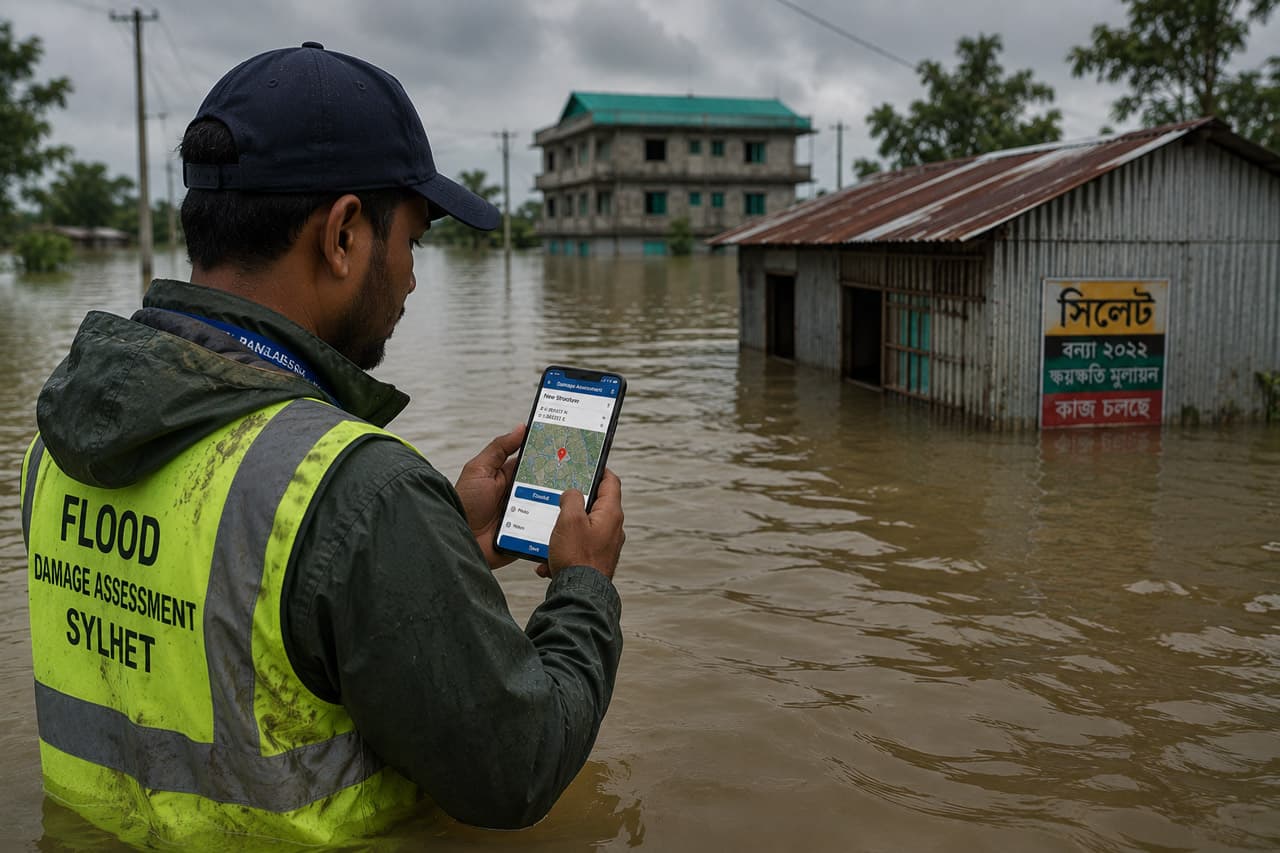
Hero image caption: A field worker standing in floodwater with a smartphone in a waterproof case, recording GPS-tagged damage reports for a mobile GIS assessment during the 2024 Sylhet floods.
We were knee-deep in floodwater outside Sunamganj, phones in waterproof cases, uploading damage reports to a server while water was still rising. The road behind us had become a narrow brown channel. A school compound was functioning as a temporary shelter. A family pointed to the watermark on their wall and said the water had climbed again overnight. In the old workflow, this would have become a notebook entry, then a spreadsheet, then perhaps a map days later. In the mobile GIS workflow, it became a geotagged damage point within minutes.
That is the promise of field data collection during disasters: not perfect information, but faster, structured, location-aware information when decisions are still being made.
The 2024 Sylhet Flood
The 2024 Sylhet flood was part of a wider flash-flood emergency in northeastern Bangladesh. Continuous rainfall, heavy upstream flow from India’s Meghalaya and Assam regions, and rising rivers pushed water into low-lying areas of Sylhet, Sunamganj and Moulvibazar. The Bangladesh Red Crescent Society reported that several places in these three districts were inundated, with Sylhet and Sunamganj severely affected and more than 1.8 million people impacted by late June. (BDRCS)
The IFRC emergency record for the June 2024 flash flood noted that on 18 June the Surma River was flowing well above danger level at key points, including Kanaighat and Sylhet Nagar, while ReliefWeb’s DREF operation reported hundreds of villages flooded and hundreds of thousands of people stranded in Sylhet district. (<a href="https://go.ifrc.org/emergencies/7035?utmsource=chatgpt.com”>IFRC GO) UNICEF also reported that flash floods inundated parts of Sylhet Division from 30 May 2024 after heavy monsoon rainfall affected the northeast. (<a href="https://www.unicef.org/media/158566/file/Bangladesh-Humanitarian-SitRep-Sylhet-Floods-25-June-2024.pdf?utmsource=chatgpt.com”>UNICEF)
For field teams, those numbers became practical questions. Which unions were cut off? Which roads were passable? Which shelters were full? Which houses were partially damaged, totally damaged, or still habitable? Which tube wells were contaminated? Which households needed dry food, medicine, or evacuation support first?
Our Assessment Toolkit
Our field kit was intentionally simple. Each enumerator carried an Android phone, a power bank, a waterproof pouch, printed emergency contacts, and a short checklist. The mobile GIS stack had three parts: a form, a device, and a server.
We evaluated five mobile GIS tools before settling on the field workflow:
- ODK Collect — strong offline data collection, GPS, photos, repeat groups, validation rules, and ODK Central integration.
- KoboToolbox — humanitarian-friendly interface, easy XLSForm design, strong for NGO deployments.
- QField — excellent when field teams need to edit QGIS layers directly with offline basemaps.
- ArcGIS Field Maps — powerful for organisations already using ArcGIS Online or Enterprise.
- ESRI Survey123 — form-centric mobile surveys with good dashboard and enterprise integration.
For this flood assessment, the priority was speed, offline capability, GPS points, photos, controlled choices, and simple training. ODK and Kobo-style workflows are well suited to this because forms can be designed in XLSForm, uploaded to a server, downloaded to Android devices, filled offline, and synced when connectivity returns. ODK’s own documentation describes the typical workflow: create forms using XLSForm, upload them to ODK Central, download them into ODK Collect, and submit completed records from the field. (<a href="https://docs.getodk.org/?utmsource=chatgpt.com”>ODK) ODK Collect also supports location question types and offline maps, which are critical when mobile networks fail or basemaps load slowly. (<a href="https://docs.getodk.org/collect-offline-maps/?utmsource=chatgpt.com”>ODK)
Building the ODK Form
The form had to be short enough for flood conditions but structured enough for analysis. Long forms fail in emergencies. Enumerators are tired, families are stressed, phones get wet, and interviews may happen from a boat or roadside embankment. We designed the form around one survey point per affected structure or facility.
The core fields looked like this:
| Field | Type | Example value | Notes | |
|---|---|---|---|---|
| —————– | ————– | ——————— | ——————————————————- | |
survey_id | text / auto ID | SYL-2024-000421 | Unique record identifier. | |
district | select one | Sunamganj | Preloaded district list. | |
upazila | select one | Chhatak | Cascading choices reduce spelling errors. | |
structure_type | select one | household | Household, school, shelter, clinic, market, road point. | |
flooddepthm | decimal | 1.2 | Estimated or measured water depth near structure. | |
gps_point | geopoint | 25.06 91.40 12 6 | Latitude, longitude, altitude, accuracy. | |
photo | image / binary | IMG_0421.jpg | Damage or water-depth evidence. | |
damage_level | select one | partial | None, partial, total. | |
people_affected | integer | 6 | Household or facility-reported affected people. | |
priority_need | select one | drinking_water | Food, water, medicine, shelter, sanitation, rescue. | |
access_status | select one | boat_only | Road open, road flooded, boat only, inaccessible. | |
remarks | text | Tube well submerged | Short note for coordination team. |
A simplified XForm-style bind section looked like this:
<bind nodeset="/damage/structure_type" type="select1" required="true()"/>
<bind nodeset="/damage/flood_depth_m" type="decimal" constraint=". > 0 and . < 10"/>
<bind nodeset="/damage/gps_point" type="geopoint" required="true()"/>
<bind nodeset="/damage/photo" type="binary"/>
<bind nodeset="/damage/damage_level" type="select1">
  <!-- none | partial | total -->
</bind>
In practice, most teams design this through XLSForm rather than hand-writing XML. XLSForm is easier for programme staff because survey questions, choices and settings are maintained in spreadsheet tabs. The XLSForm documentation also notes GPS behaviour such as target accuracy settings for geopoint questions, which helps teams avoid low-quality locations. (xlsform.org)
What We Mapped
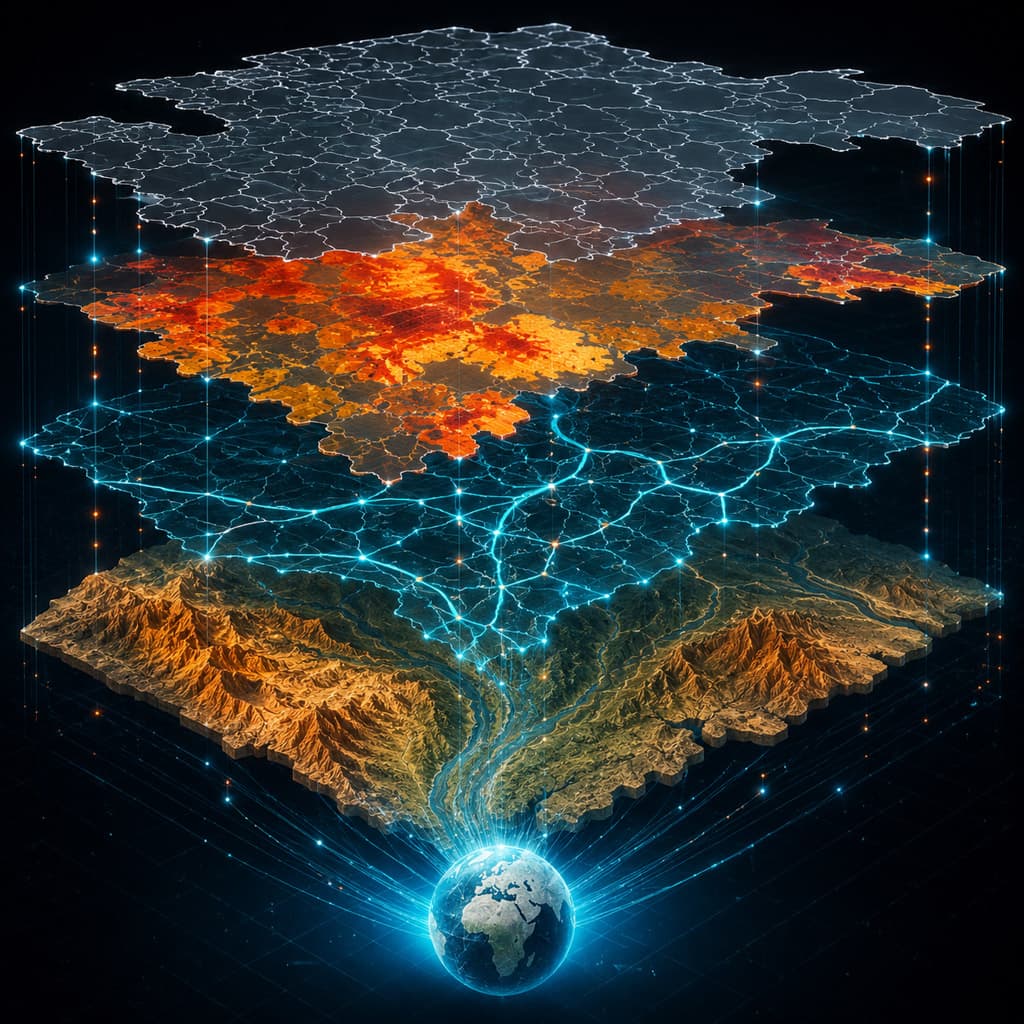
The first layer was household and structure damage. The second was access: flooded roads, broken culverts, boat-only routes, and locations where vehicles could no longer pass. The third was public services: shelters, schools, clinics, tube wells, latrines, markets, and temporary distribution points.
The map changed how the coordination room understood the flood. Instead of a list saying “Ward 4 affected,” we could see clusters: damaged houses along a canal, submerged tube wells near a shelter, road breaks isolating several villages, and high-priority needs concentrated on one side of the river. A dashboard summarized counts by union and upazila, while the GIS team exported daily maps for field coordinators.
“The GPS points changed our relief distribution. Before, we knew a village was affected. After mapping, we knew which side of the flooded road had the highest number of damaged houses and where boats had to go first.” — Red Crescent volunteer
Lessons from the Field
The first lesson is that offline readiness matters. Do not assume mobile data will work during a flood. Forms, basemaps, choice lists and user accounts should be prepared before deployment. ODK’s offline map support is useful because field teams can work even when online basemaps are unavailable. (ODK)
The second lesson is that form design is disaster management. A required GPS field improves spatial quality, but too many required questions can slow urgent reporting. A decimal constraint prevents impossible flood-depth values, but enumerators need guidance on estimating depth safely. Photos help verification, but they raise privacy and consent issues.
The third lesson is that data must return to the field quickly. If enumerators submit records and never see the map, motivation drops. When they see their points become route plans, shelter lists and distribution priorities, the technology becomes part of the response rather than an extractive reporting exercise.
The fourth lesson is that mobile GIS does not replace local knowledge. A point on a map may show a damaged house, but a volunteer knows whether elderly residents remain inside, whether a boat can reach the courtyard, and whether the family has somewhere safe to sleep.
The 2024 Sylhet floods showed that disaster assessment is no longer only a clipboard activity. With phones, open forms, GPS, photos and a modest server, field teams can build a live operational picture while the water is still moving. The goal is not to make the response look digital. The goal is to make help arrive faster, more fairly and with better evidence.
Sources / References
- Bangladesh Red Crescent Society. “Sylhet Flood 2024 — Situation Report 1,” 24 June 2024. (BDRCS)
- IFRC GO. “Emergency — BGD: Flash flood in Bangladesh, June 2024.” (IFRC GO)
- ReliefWeb / IFRC. “Bangladesh: Sylhet Flood Bangladesh 2024, DREF Operation MDRBD036,” 2 July 2024. (ReliefWeb)
- UNICEF. “Bangladesh Humanitarian Situation Report: Sylhet Floods,” 25 June 2024. (UNICEF)
- ODK Documentation. “Welcome to ODK’s Docs.” (ODK)
- ODK Documentation. “Using Offline Maps.” (ODK)
- ODK Documentation. “Question Types.” (ODK)
- XLSForm Documentation. “Specifying a target accuracy at which to capture location.” (xlsform.org)











Responses (0 )